Декор и интерьерSamsung Information Technology#Samsung Information Technology#Flip#Pcs and monitors#Lifestyle#Hi-Tech and audio video
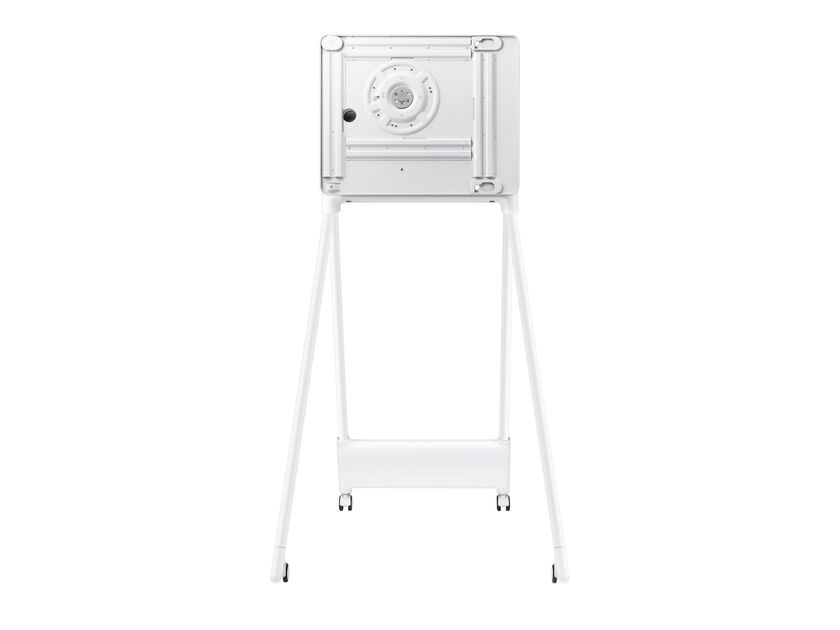
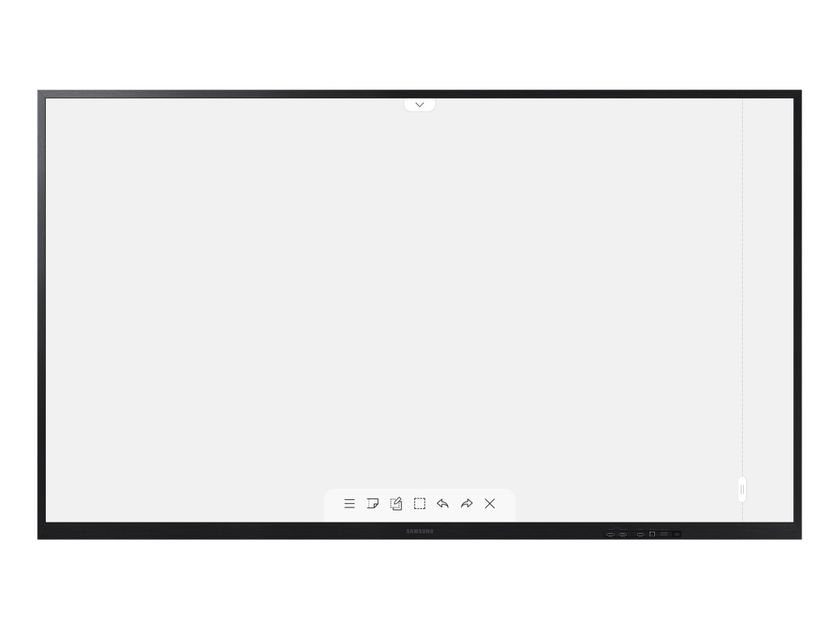
Samsung Information Technology FLIP 2 55” Interactive Display
With Samsung Flip you can write as naturally and smoothly as on paper, choosing from a wide range of colours, styles and sizes. Up to four people can write simultaneously, choosing the writing instrument they prefer. In addition, a drawing can be erased by simply running a finger or the palm of the hand over it.
Brush mode. Samsung Flip recognises a wide range of thicknesses, so it will be like painting on the screen. You can choose between water paint and oil paint, both with various styles and textures that complement a full palette full of vibrant colours that can be mixed as desired.
Overlay notes. Samsung Flip allows you to write on backgrounds of any kind. One click on the Live Note button and you can write over the displayed content, whatever it is and without ever changing the original file.
Flexible image editing. Selection Tool and Merge to Flip. With Samsung Flip you can select, move, cut, capture and edit images quickly and easily. Add them to the display with a single click, and they are ready to be edited or deleted.
Ideal for all professional needs. Always the right format. With its versatile integrated templates, Samsung Flip adapts to a wide range of professional applications: it can be used as a calendar, diary, notepad or checklist. Samsung Flip meets every professional need and allows you to use the display in various customised modes.
Easy navigation and protection. Samsung Flip offers up to 20 pages of writing space per roll, with smooth and easy scrolling. In addition, confidential information circulating in meetings can rely on Flip's reinforced locking system, which protects sensitive content from prying eyes.
Synchronised screen display. The Touch out function allows you to synchronise your personal devices with the Samsung Flip to share and control content in real time. Any changes made on Flip's display are carried over to the connected device and vice versa, for more efficient collaboration.
SpecificationsDisplay
- Diagonal size 55"
- Panel type New Edge, 60Hz
- Resolution 3,840 x 2,160
- Pixel pitch (horizont. x vert.) 0.315 x 0.315
- Brightness (typical) 350cd/m2 (220cd/m2 with glass)
- Contrast 4,000:1
- Viewing angle (horizon/vertex) 178/178
- Response time 8ms
- Colour gamut 72%
- Glass Haze 2.3%(without glass)
- H-Scanning Frequency 30~81khz
- Max. Pixel Frequency 594Mhz
- V- FrequencyScanning 48~75 hz
- Dynamic Contrast Ratio N/D
Connectivity
- HDMI 2 Input
- DP Input N/D
- DVI Input N/D
- Tuner Input N/D
- USB1
- Component Input N/D
- Composite Input N/D
- RGB Input N/D
- IR Input N/D
- HDBaseT Input N/D
- Audio Input N/D
- Stereo Mini Jack Audio Output
- Video Output Video Out N/D
- Power Out N/D
- RS232 Input Yes
- RS232 Output N/D
- RJ45 Input Yes
- RJ45 Output N/D
- WiFi Yes
- 3G Dongle N/D
- Bluetooth Yes
Power Supply
- AC 100~240V 50/60Hz Power Supply
- Power Consumption (Off) N/D
- Power Consumption (On) 154W
- Power Consumption (Sleep Mode) 0.5W
Operating Conditions
- Temperature 0℃ ~ 40℃
- Humidity 10 ~ 80%, non-condensing
Mechanical Specifications
- VESA Mount 400 x 400 mm
- Frame Width 26.2
- Frame Material Plastic
Optional Features
- Touch Yes
- Mount WMN-4277SE
- Base STN-WM55R
Special Features
- Support MagicInfo Daisychain Videowall N/A
Eco
- Energy Efficiency Class A+
Touch
- TouchInGlass™ Technology
Remote PC and Bluetooth support. With Samsung Flip, users can connect remotely to the meeting room, so meetings can begin even without a PC for the benefit of punctuality and efficiency. And to create an even more convenient and productive working environment, Flip can connect to a Bluetooth keyboard, mouse and speaker.
Screen sharing . Using a Wi-Fi network or HDMI output, users can project Samsung Flip content onto another large digital display in real time, even when Flip is connected to a personal device. Ideal for addressing large audiences in large meeting rooms.
One-touch sharing. No more need to take notes by hand during meetings: at the end, Flip distributes notes and summaries to everyone present and other interested parties. Important conversations and content are archived in Flip in real time for easy sharing via mobile and digital channels.
Crisp viewing and flawless efficiency. UHD display and Tizen operating system. No matter what the meeting room features: Samsung Flip always creates an immersive environment, thanks to the crystal-clear UHD picture quality. The powerful Tizen 5.0 operating system ensures a flawless user experience, while integrated sensors automatically activate the display when the screen is touched with the knuckles.
Further info from manufacturer on FLIP 2 55” Samsung Information Technology
0
0